Email App Data Selling Practices Compared
Free email apps fund themselves by selling access to what advertisers can learn from your inbox.
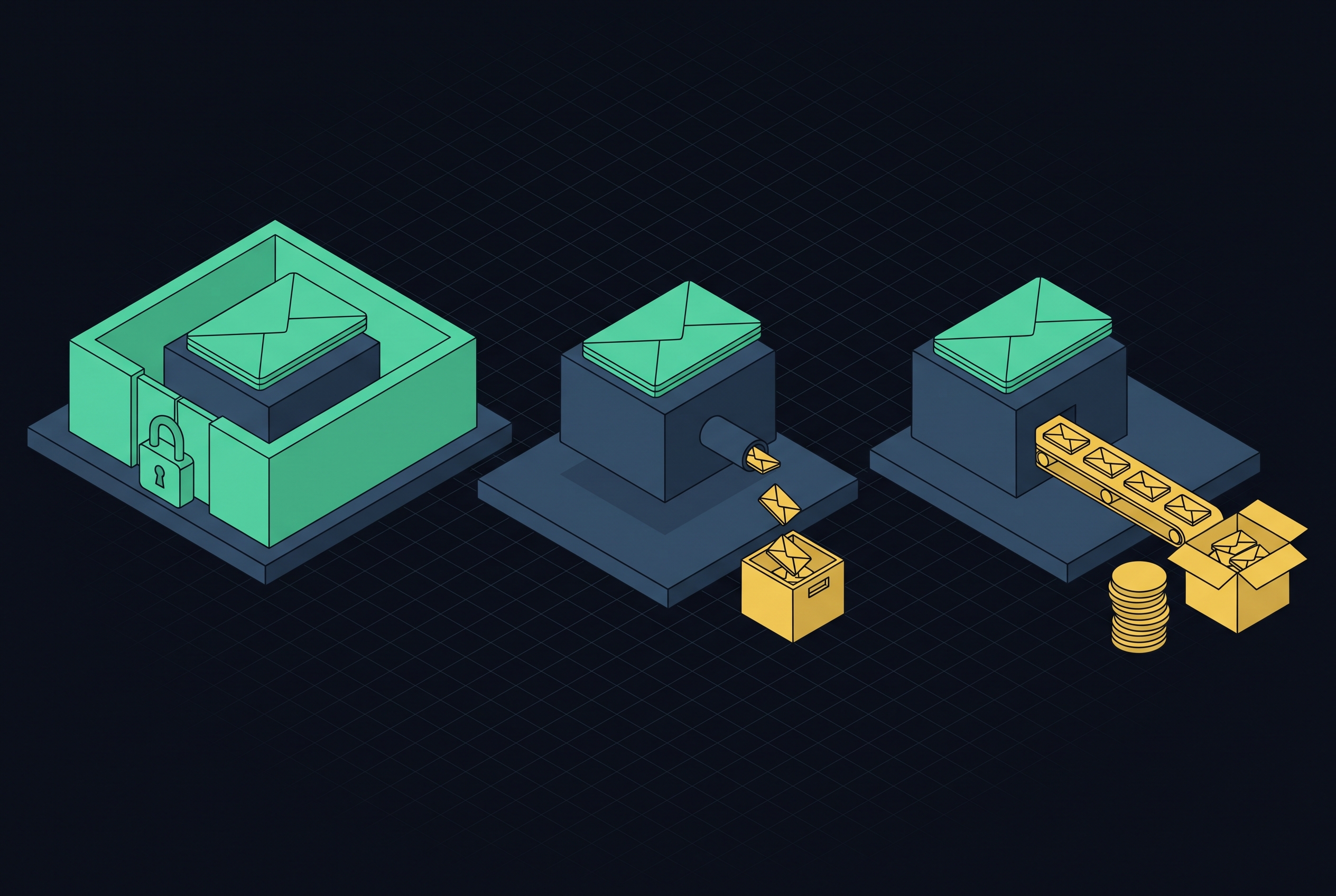
Email app data selling practices differ most in who pays and what the software can read. Some apps use what happens in an inbox to gather advertising signals or do commercial research. Others charge for subscriptions and use encryption to limit what they can read.
Why the business model behind a free email app determines what happens to your inbox data
A free email service still needs a source of money. When that source is advertising or data sales, the inbox becomes a collection point as well as a private channel. That incentive shapes the product from the start. Data collection can be built into the app’s core infrastructure from the start. The risk follows from what the service earns money doing.
Most free apps gather data through three channels, which include message content, metadata and behavioral signals. Scanning or summarizing messages gives the service information from the text itself. Metadata gives details about the sender and recipient, timestamps, IP addresses and routing information for the exchange, while behavioral signals include when the email was opened and the device type. Encryption does not erase all those traces. Even when message content is protected, headers can remain visible during transmission, so an encrypted body is not the same as an invisible exchange.
Subscriptions change how the service earns its money because the user pays it directly. Privacy can then become a feature worth paying for rather than a restriction on the data available to sell. Payment gives the provider a way to earn money without mining communications. That is the useful starting point for comparison. Knowing the business model tells you more than reading a privacy policy in isolation.
What Google's October 2026 privacy policy change actually permits
Google’s October 16, 2026 privacy policy revision changed how data drawn from Gmail can be used for advertising. The old policy said Google did not show personalized ads based on content from Drive, Gmail or Photos. The new version adds an exception for data a user chooses to make available to other Google services that support personalized ads. The exception is tied to that choice. It is not a blanket statement that every inbox message can be used for advertising.
Google’s help page draws a narrower distinction between original content and information derived from it. Ads will not be based “directly” on Gmail inboxes or Photos libraries, but “summaries, excerpts and inferences” from that content may be used to show ads. That wording leaves room for indirect use.
Google’s documentation describes a related boundary for AI training. Its Search services train generative AI models on summaries and inferences drawn from a user’s Gmail inbox. A subset of that data undergoes human review. Advertising use and model training are distinct activities, though both depend on the distinction between derived information and direct access to the original inbox.
The ambiguity lies in how that boundary works in practice. A policy can distinguish a message from a summary without making it easy for an individual user or regulator to audit the difference. The wording permits certain uses of derived information while ruling out direct uses. It does not make the full path from inbox content to inference easy to inspect.
Edison Mail and the gap between blocking trackers and selling data
Edison Mail’s September 2026 privacy policy shows why a privacy feature cannot stand in for a data-use policy. The app markets a tracking pixel blocker while authorizing scans of connected inboxes for “Commercial Data” and sharing anonymized versions with business subscribers. Those functions can coexist without any technical contradiction.
Edison’s privacy page permits disclosure of de-identified data to affiliates, including YipitData, for commercial research, analytics, products and insights offered to business subscribers. A J.P. Morgan document described Edison as providing “consumer purchase metrics including brand loyalty, wallet share, purchase preferences, etc.,” and listed the Edison Email App as the source. That identifies the commercial use of the information. Cleanfox provides brief corroboration of the broader data-funded pattern, rather than a reason to treat every free inbox tool as identical.
Edison’s opt-out also has a narrower scope than a user might expect. It stops the company from providing data to subscribers, but the policy does not say it stops processing commercial emails. Those emails also power the app’s Assistant features. Stopping distribution and stopping processing are different protections, so an opt-out label alone does not establish which activity ends.
The policy’s directions add another complication because they still mention “OnMail settings,” although OnMail closed in 2025. Edison’s policy also gives a route through the “Manage Privacy” page in the Email app settings, so the stale reference does not establish that every opt-out route is gone. Check who owns an app and read its data-sharing terms, because the features page says what it protects while the binding policy says how it may use data.
How tracking pixels collect data before it ever reaches your email app's privacy policy
Tracking pixels collect data from within the emails themselves. They are largely invisible to readers, and their signals flow to the sender’s analytics platform. That separates them from the app’s own data pipeline. A provider can promise not to sell inbox data while the messages it displays still expose behavioral information to marketers.
The exposure begins with activity around the message, as open times and device information can become useful signals about the recipient. The sender’s collection system has its own destination for that information. As a result, choosing an app solely by its data-selling policy leaves the sender’s collection of behavioral information unaddressed.
Apple’s Mail Privacy Protection disrupted this measurement by prefetching images regardless of whether a person opened an email. That inflated open-rate metrics across the industry because image activity no longer reliably represented a human opening a message. The intervention changed the signal at its source. It also showed why protection sometimes has to be built into the client’s handling of email rather than expressed as a promise about the provider’s own conduct.
What Proton Mail and Tuta actually encrypt — and where each one stops
Proton Mail and Tuta offer a different kind of protection from a promise not to use readable data. Their stored-email protections prevent the provider from reading protected content even if compelled to disclose it. A policy limits what a provider says it will do, while encryption can limit what it is able to do.
Proton’s zero-access encryption uses the user’s public key to encrypt stored email, which can be decrypted only with the private key the user controls. Seizing the servers would therefore not make that encrypted content readable without individual user passwords. The protected material remains encrypted on the provider’s systems. That is a stronger barrier to reading stored content than a restriction on how accessible text may be used.
Tuta encrypts message bodies, attachments, subject lines, sender and recipient display names, the entire address book and calendar event titles. It does so on the client before that information reaches its servers. Email addresses themselves stay unencrypted, though display names are protected.
Tuta’s wider encryption scope comes with a compatibility trade-off. It uses its own proprietary encryption scheme and offers no IMAP, POP3 or SMTP access, making it incompatible with standard email clients and third-party tools. The added protection changes how the service can be used. For someone whose workflow depends on those connections, that is a functional limit.
Both providers also face the limits of email in transit. Sender and recipient details, timestamps and routing information remain exposed in headers when exchanging messages with outside parties. Proton is based in Switzerland, where it can be made to disclose data only through a legally binding order from competent Swiss authorities, which foreign governments can seek indirectly through mutual legal assistance treaties. Tuta is based in Germany and must follow GDPR, and both countries are outside the Five Eyes intelligence-sharing alliance.
Both services are subscription-funded and have no advertising, removing the advertising incentive to mine communications. Their encryption and funding models therefore address different parts of the same risk. Switching from Gmail or another mainstream email provider to either is a meaningful privacy upgrade, but it also changes the workflow, particularly with Tuta.
Where subscription-based inbox management fits in this landscape
Inbox management services work between the user and the email provider they already have. They connect to an account, typically Gmail, to sort, archive and digest messages without requiring a new address or abandoning existing mail history. That makes them different from replacement email providers. Their convenience comes from access to the inbox, however, so their funding and data-use terms deserve the same scrutiny.
The central distinction is between selling what the tool learns and charging for the work it performs. The pattern used by Edison and another inbox management service uses inbox-derived information as a source of revenue. A service paid for through subscriptions can instead limit its use of content to the work it does for the user. The fee pays for the function. That is a different incentive from earning money through information about purchases or communication patterns.
Promises to look for include bank-grade encryption, a strict no-data-selling policy and earning money from subscriptions. Those promises need to be read separately. “Bank-grade encryption” does not, by itself, say that a provider cannot read the data it processes. A sorting tool’s promise to limit use is not equivalent to zero-access storage, even when both are described as privacy protections.
Subscription-based sorting can also let users reply in plain English to adjust how messages are handled, with the system learning preferences over time and eliminating the need for manual rules. That convenience still involves processing inbox information. Gmail’s built-in Gemini summarization is the closest native alternative, but it operates within the inference pipeline implicated in the October 2026 policy change. A standalone subscription tool with an explicit no-data-selling policy has a different data-use context, although connecting one does not replace the underlying email provider.
How to read a privacy policy as a practical checklist before choosing an email app
Before granting inbox access, prioritize the data-sharing section over the features page. First, establish who owns the app and whether that owner sells consumer data. Edison’s affiliation with YipitData was disclosed in its privacy policy and omitted from its features page. Ownership gives the sharing terms commercial context. A reference to affiliates is more useful when the reader knows what those affiliates do.
Next, establish whether the policy permits “anonymized” or “aggregated” information to reach business subscribers or affiliates. Look for the categories covered, including commercial emails, purchase signals and behavioral data. The label alone is not enough. The FTC’s enforcement against BetterHelp established that hashed or anonymized data is still personal information if it can uniquely identify or target users.
The next question concerns what the provider can technically read. Zero-access encryption and the absence of server-side reading offer a different protection from a promise not to use accessible content. Then identify how the service pays its costs. A subscription fee creates a different incentive from a free tier that needs another revenue source, but the policy still needs to state what uses are allowed.
Finally, check whether the described opt-out exists and what it stops. A control that works may stop sharing but still allow processing, while directions to old settings can make the promised choice harder to use. These questions provide a framework for comparing any app. The most durable protection starts with choosing a business model that does not depend on exploiting the inbox, rather than relying on a carefully parsed policy paragraph.
Every new piece from Inbox Trust Audit, as it's published.
Follow